> For the complete documentation index, see [llms.txt](https://help.qonic.com/llms.txt). Markdown versions of documentation pages are available by appending `.md` to page URLs; this page is available as [Markdown](https://help.qonic.com/getting-started/signing-up.md).
# Signing Up
Follow these steps to set up your account.
To sign up to Qonic, head to [app.qonic.com](https://app.qonic.com/). If you do not already have an account, you should see the following screen, asking you for your email address and a password. You can also sign up and log in using your personal Google or Microsoft account. Single Sign-On (SSO) for organizations is supported in the Enterprise [pricing](https://www.qonic.com/pricing/) tier.
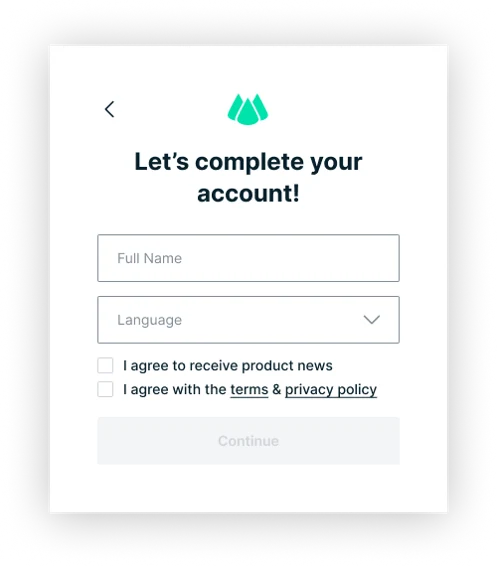
In the next step, enter your full name and what your preferred language is. Qonic is currently available in English and German (Deutsch). You can change this both later in your account settings once you are logged in, under *Profile settings* > *Language*.
If someone has already invited you to their organization before you signed up to Qonic, you should see an option to join their organization in the next step. Choose to join their organization or to create your own organization.
If you chose the latter, you need to provide an organization name, industry and country. Once you have provided this you can continue and log in.
Once you are logged in you will see your own personalized dashboard. Click [here](/documentation/qonic-dashboard/dashboard-overview.md) for an overview of the dashboard interface.